
Stanley Outdoor Timer Instructions: A Comprehensive Guide
Navigating Stanley outdoor timer setups can be tricky! This guide offers detailed instructions, covering various models – from digital to mechanical – ensuring reliable control of your devices;
Understanding Stanley Timer Models
Stanley offers a diverse range of outdoor timers, catering to different needs and preferences. These models broadly fall into two categories: digital and mechanical. Digital timers, like the 31221 Digital Light Timer Select Twin and the TIMERMAX series, provide precise scheduling and advanced features such as dusk-to-dawn operation and multiple on/off settings.
Mechanical timers, exemplified by the DR-1212 Timeit Outdoor Twin, offer a simpler, more straightforward approach to timing. They rely on physical dials and pins to set schedules, making them user-friendly for basic timing needs. The TIMERMAX OUTDOOR PRO represents a professional-grade option, boasting dual battery backup and enhanced durability.
Understanding these core differences is crucial for selecting the right timer for your application. Each model possesses unique functionalities and complexities, as detailed in their respective instruction manuals. Proper identification of your specific model is the first step towards successful setup and operation.
Identifying Your Specific Stanley Timer Model
Accurate model identification is paramount for accessing the correct instructions and troubleshooting guidance. Stanley timers display model numbers prominently on the unit itself, typically located on the front, back, or underside. Look for a series of numbers and letters – for example, 31221, DR-1212, 28426 (TIMERMAX Digislim Twin), or TM213 (TIMERMAX Digislims).
If the label is damaged or missing, carefully examine the timer’s features. Is it a simple mechanical timer with dials, or a digital timer with a display screen and buttons? The presence of a photocell sensor indicates a dusk-to-dawn functionality, common in models like the 31221.
Online resources, such as the NCCUSA website (http://www.thenccusa.com/pdf/pguide/31221.pdf), and manual databases can assist in identification. Knowing the number of outlets (twin vs. single) and the overall design will further narrow down the possibilities. Once identified, you can download the specific user manual for detailed instructions.
Stanley 31221 Digital Light Timer Select Twin: Overview
The Stanley 31221 Digital Light Timer Select Twin is designed for automated control of outdoor lighting and appliances. It features a built-in digital photocell, enabling automatic on/off operation based on ambient light levels. This model boasts two grounded outlets, allowing simultaneous control of two devices.
Operation revolves around a single button used to cycle through various settings, denoted by ‘F’, and numbers ‘1-9’, as well as variations like ‘- 9.’. The ‘F’ function activates dusk-to-dawn operation. Numerical settings control the duration of operation after dusk.
Understanding these settings is key to customization. For instance, selecting ‘2’ typically activates the timer to turn on at dusk and remain on for two hours. The ‘2.’ setting extends the on-time during the first day, then reverts to the standard two-hour schedule. Refer to the official manual (http://www.thenccusa.com/pdf/pguide/31221.pdf) for a complete breakdown.
Function ‘F’: Setting the Timer for Dusk-to-Dawn Operation
Selecting the ‘F’ function on the Stanley 31221 activates its dusk-to-dawn operational mode. This setting utilizes the integrated digital photocell to automatically turn on connected lights or appliances when the ambient light level drops below a certain threshold, simulating sunset. Conversely, the timer switches off when daylight returns, mimicking sunrise.
This function is ideal for security lighting, garden illumination, or any application where automatic, light-sensitive control is desired. No manual programming of on/off times is required; the timer responds dynamically to the natural light cycle.
It’s important to ensure the photocell isn’t obstructed by shadows or other light sources, as this can interfere with accurate detection. The 31221’s photocell is located on the front of the unit. For detailed information and troubleshooting, consult the official instruction manual available at http://www.thenccusa.com/pdf/pguide/31221.pdf.

Understanding Number Settings (1-9) on the 31221
The numerical settings (1-9) on the Stanley 31221 Digital Light Timer Select Twin control the duration that the timer remains ‘on’ after being triggered, typically by the dusk-to-dawn function (‘F’) or a manual override. Each number represents a specific time interval, allowing for customized operation based on your needs.

Generally, a lower number corresponds to a shorter duration, while a higher number indicates a longer ‘on’ time. For instance, setting ‘2’ typically activates the lights at dusk and keeps them illuminated for approximately two hours. Understanding these settings is crucial for tailoring the timer’s performance to your specific requirements.
Refer to the full manual (http://www.thenccusa.com/pdf/pguide/31221.pdf) for precise duration details for each number. Remember that the ‘2.’ setting has a unique first-day extended operation, differing from the standard two-hour schedule. Experimenting with these settings allows for optimal control.
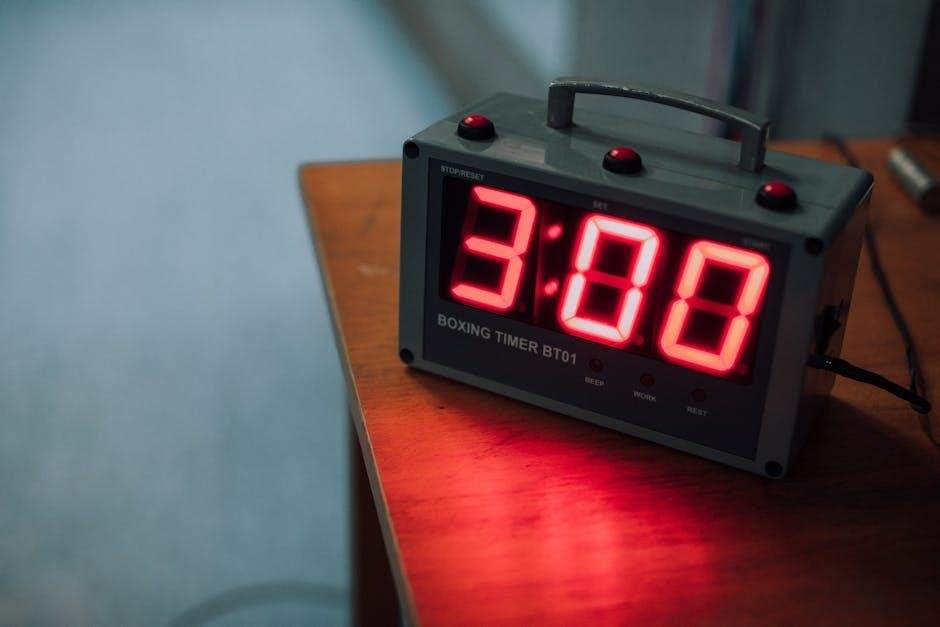
Interpreting ‘2’ Setting: Dusk On, 2-Hour Duration
Selecting the ‘2’ setting on your Stanley 31221 Digital Light Timer Select Twin initiates a dusk-to-dawn operation with a pre-defined two-hour duration. This means that once the built-in photocell detects the onset of dusk, the connected lights will automatically switch on. They will then remain illuminated for approximately two hours before turning off.
This setting is ideal for scenarios where you desire a consistent, short-term illumination period after sunset. It’s particularly useful for security lighting, pathway illumination, or decorative displays where a prolonged ‘on’ time isn’t necessary. The timer relies on the ambient light level to trigger, ensuring operation only when needed.

However, remember the ‘2.’ setting differs, offering extended operation on the first day. For consistent two-hour performance, ensure you select simply ‘2’ and consult the full manual (http://www.thenccusa.com/pdf/pguide/31221.pdf) for clarification.
The ‘2.’ Setting: Extended First-Day Operation
The ‘2.’ setting on the Stanley 31221 timer introduces a unique feature: extended operation specifically for the first day of use. Unlike the standard ‘2’ setting which provides a two-hour duration after dusk, ‘2.’ allows the lights to remain on for a significantly longer period initially.
This extended runtime is designed to accommodate variations in sunset times and ensure adequate illumination during the initial setup phase. After this first, longer operational period, the timer automatically reverts to the standard two-hour duration for subsequent evenings. This ensures consistent performance after the initial setup.
Essentially, ‘2.’ acts as a ‘learning’ period for the timer, adapting to your local dusk times. It’s crucial to differentiate between ‘2’ and ‘2.’ to avoid unexpected lighting schedules. Refer to the official manual (http://www.thenccusa.com/pdf/pguide/31221.pdf) for a complete understanding of this functionality.

Mechanical Stanley Timers: DR-1212 Timeit Outdoor Twin
The DR-1212 offers a simple, reliable solution for outdoor lighting control. It features two grounded outlets and a robust mechanical timer, ideal for basic scheduling needs.
DR-1212 Specifications: Power Ratings and Load Limits
Understanding the DR-1212’s power specifications is crucial for safe and effective operation. This mechanical timer is rated for 125VAC at 60Hz, with a maximum current of 8 amps. It can handle resistive loads up to 1000 watts, tungsten loads also at 1000 watts, and electronic ballast loads of 500VA.
Motor load capacity is limited to 1/2 HP. Exceeding these limits can damage the timer or the connected devices, potentially creating a fire hazard. Always verify that the total wattage of the devices plugged into the DR-1212 does not surpass the specified 1000-watt limit for resistive and tungsten loads.
Carefully consider the type of load you are connecting. Electronic ballasts require lower wattage than resistive or tungsten loads. Ignoring these specifications can lead to malfunction or reduced timer lifespan. Prioritize safety by adhering to these power ratings and load limits.
Setting Up the DR-1212 Timer: Initial Configuration
Begin by locating a grounded electrical outlet near the devices you intend to control with the DR-1212. Plug the timer directly into this outlet – do not use extension cords. Ensure the outlet is functioning correctly before proceeding. Next, connect your lights or appliances into the two grounded outlets provided on the timer’s face.
The DR-1212 features a rotating dial with time markings around its perimeter. This dial is used to set the ‘ON’ and ‘OFF’ times for your devices. Rotate the dial until the current time aligns with the arrow indicator. This establishes the baseline for your scheduling.
To set a specific on/off schedule, use the sliding tabs to define the ‘ON’ and ‘OFF’ periods. Remember that the timer operates based on these settings, automatically switching your devices on and off according to your programmed schedule. Double-check all connections and settings before leaving the timer unattended.
Operating the DR-1212: Basic Functionality
The Stanley DR-1212 operates on a simple mechanical principle: you set the ‘ON’ and ‘OFF’ times using the sliding tabs. As the dial rotates with the passage of time, it triggers the internal switch, activating or deactivating the power to the connected outlets.
To activate a device, position the ‘ON’ tab to cover the time period during which you want the device to be powered. Conversely, the ‘OFF’ tab defines the period when the device should remain off. The timer automatically cycles between these settings.
There are no complex digital settings to navigate; it’s purely mechanical. This makes the DR-1212 incredibly user-friendly, especially for those unfamiliar with digital timers. However, remember to periodically check the time accuracy and adjust the dial accordingly to maintain precise scheduling. Ensure the tabs move freely and engage correctly for reliable operation.
Advanced Stanley Timer Models
Stanley’s TIMERMAX series, including Digislim Twin (28426) and OUTDOOR PRO, offer digital precision, dual outlets, and battery backups for enhanced scheduling and reliability;
TIMERMAX Digislim Twin (28426): Quick Start Guide
The Stanley TIMERMAX Digislim Twin (28426) is a versatile digital timer designed for outdoor use, controlling lights and other devices with ease. To begin, insert batteries for backup – crucial for maintaining settings during power outages. The unit features two grounded outlets, allowing control of two separate devices simultaneously.
Programming involves setting the desired ON and OFF times. Utilize the ‘Set’ and ‘Program’ buttons to navigate the menu. The Digislim Twin allows for multiple on/off cycles daily, offering flexible scheduling options. Remember to consider daylight saving time adjustments, which can be configured within the timer’s settings.
For simple dusk-to-dawn operation, explore the timer’s photocell functionality. Ensure the sensor isn’t obstructed for accurate light detection. The Digislim Twin boasts a user-friendly interface, but consulting the full user manual (available online) is recommended for advanced features and troubleshooting. Proper setup ensures reliable and automated control of your outdoor lighting and appliances.
TIMERMAX Digislims TM213: User Manual Features
The Stanley TIMERMAX Digislims TM213 user manual is comprehensive, detailing all aspects of this advanced outdoor timer. Key features explained include multiple program settings, allowing for customized schedules tailored to your needs. The manual clarifies how to utilize the timer’s built-in photocell for automatic dusk-to-dawn operation, maximizing energy efficiency and security.
Detailed instructions cover setting specific on/off times, durations, and repeat cycles. Troubleshooting sections address common issues like incorrect time displays or unresponsive outlets. The manual emphasizes the importance of battery backup for preserving programmed settings during power interruptions. It also provides clear guidance on understanding the timer’s display icons and navigating the menu system.
Furthermore, the TM213 manual outlines safety precautions and proper usage guidelines, ensuring safe and reliable operation. Accessing the full 15-page manual online provides visual aids and step-by-step instructions, empowering users to fully leverage the timer’s capabilities for convenient and automated control of outdoor devices.
TIMERMAX OUTDOOR PRO: Professional Grade Features
The Stanley TIMERMAX OUTDOOR PRO distinguishes itself with professional-grade features designed for demanding outdoor applications. A standout capability is its dual battery backup, ensuring program retention even during extended power outages – a crucial benefit for security and consistent operation. The timer boasts a robust, weatherproof enclosure, built to withstand harsh environmental conditions.
Its user interface is enhanced with a clear, green LED display, providing excellent visibility in various lighting situations. Advanced programming options allow for highly customized schedules, including multiple on/off cycles and day-specific settings. The PRO model supports both digital and photocell control, offering flexibility in automation strategies.
The quick start manual details these features, emphasizing ease of setup and operation. Professionals appreciate the timer’s reliability and durability, making it ideal for landscape lighting, irrigation systems, and other outdoor electrical devices. Download the PDF manual for a complete overview of its capabilities and specifications.

Troubleshooting Common Issues

Facing problems with your Stanley timer? Common issues include power failures, incorrect time settings, and unresponsive units. Resetting or recalibrating often resolves these concerns quickly.
Timer Not Turning On: Potential Causes
A Stanley timer failing to power on can stem from several issues. First, verify the outlet itself is functioning correctly by plugging in another device. Check the timer’s internal fuse or circuit breaker, if equipped, and replace if necessary. Ensure the timer is properly plugged into the outlet and that the connected device isn’t exceeding the timer’s power ratings – 125VAC/60Hz/8A/1000W for many models like the DR-1212.

For digital models, depleted batteries (in those with backup) can prevent operation. Consider replacing them. Inspect the photocell (on models like the 31221) for obstructions or damage; it needs clear visibility to detect dusk and dawn. If the timer has a manual override switch, confirm it isn’t engaged in the “off” position. Finally, a faulty timer may require replacement, especially if internal components are damaged or if troubleshooting steps don’t resolve the issue. Always disconnect power before inspecting or attempting repairs.
Incorrect Time Settings: Resetting and Recalibration
Dealing with inaccurate time settings on your Stanley timer requires a systematic approach. For digital models like the 31221, a complete power cycle – unplugging the timer for several minutes – can often reset the internal clock. Upon reconnection, you’ll likely need to re-enter the desired settings using the function button (‘F’) and number selections (1-9, 1.-9). Remember that ‘2’ often corresponds to dusk-on with a 2-hour duration, while ‘2.’ extends the first-day operation.
Mechanical timers, such as the DR-1212, rely on physical dial adjustments. Ensure the dial is correctly positioned for your desired on/off schedule; If the timer consistently drifts, consider environmental factors – extreme temperatures can affect mechanical accuracy. Unfortunately, Stanley timers generally lack a dedicated “recalibration” feature. If issues persist, consulting the specific model’s manual (available online) or contacting Stanley support is recommended for further assistance.
Finding Replacement Manuals and Resources
Lost your Stanley timer manual? Don’t worry, several online resources can help! A valuable starting point is the manufacturer’s website, often hosting downloadable PDFs for various models. Websites like The NCC USA (http://www.thenccusa.com/pdf/pguide/31221.pdf) frequently archive older manuals, including the 31221 Digital Light Timer Select Twin instructions.
For models like the TIMERMAX Digislim Twin (28426) or TIMERMAX OUTDOOR PRO, searching online using the model number will yield results from retailers and documentation sites. Waterheatertimer.org (http://waterheatertimer.org/pdf/GE-15107-outdoor-timer-manual.pdf) provides comparable GE manuals that can offer insight. Online forums and communities dedicated to home improvement can also be helpful, allowing you to connect with other users and share information. Remember to always verify the manual matches your specific timer model.